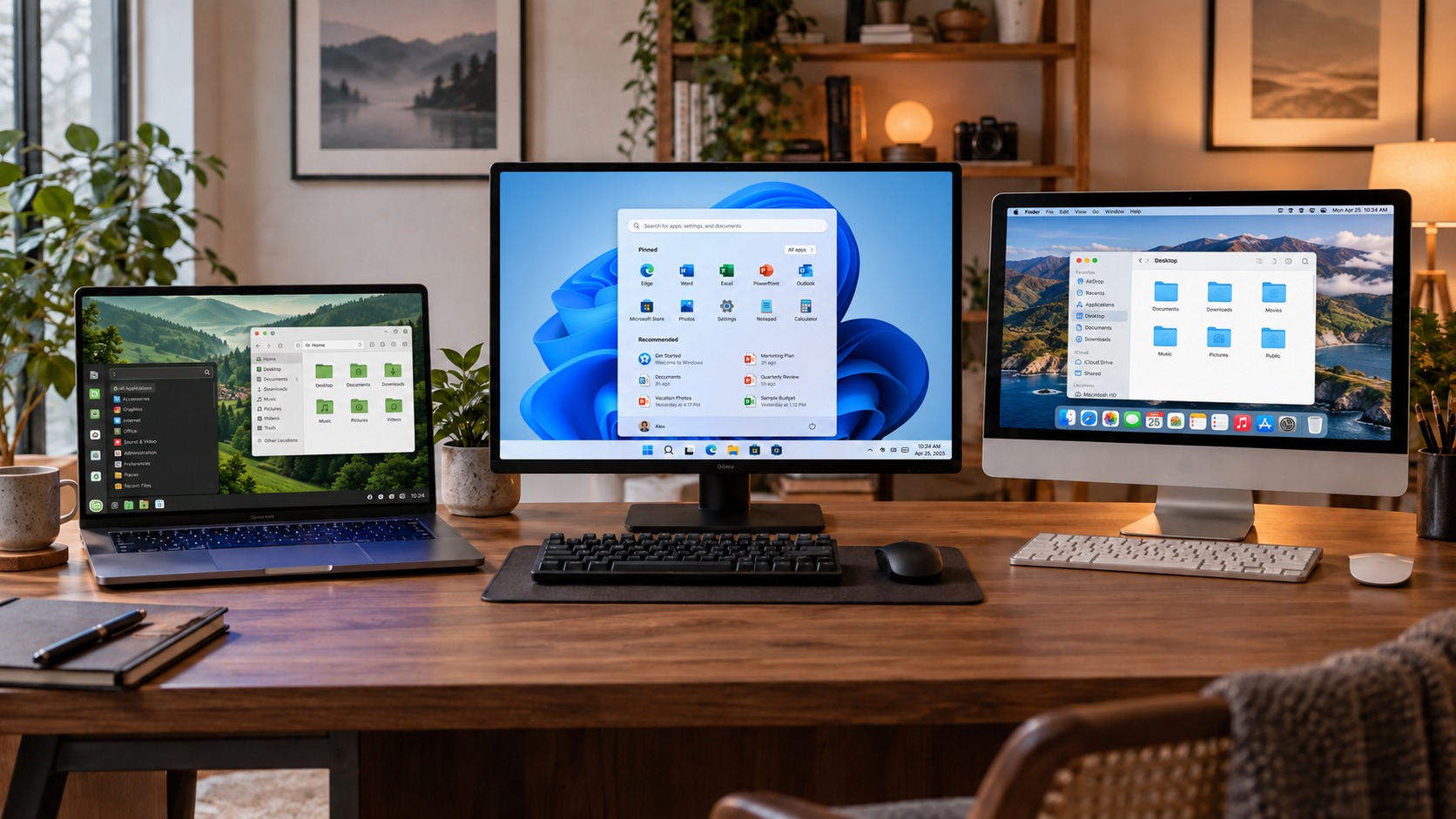
Most people never consciously choose an operating system. We buy a laptop, turn it on and begin using whatever is already installed. As a result, Windows can feel almost inseparable from the computer itself.
In reality, an operating system is only one possible way to manage a device. Alongside Windows, there are Linux and macOS. Each takes a different approach to user freedom, privacy, software, gaming and even what it means to own the system you use.
ChromeOS and other systems are outside the scope of this comparison. ChromeOS is built on the Linux kernel, but it has Google’s own more restricted ecosystem and deserves a separate discussion.
What an operating system actually does
The operating system sits between you and the computer’s components. It launches applications and manages files, memory, hardware, internet connections and security.
That is why changing systems affects much more than the appearance of the desktop. It also changes which applications are available, how updates are installed, how much control you have and the rules under which you use the computer.
Windows: familiar to almost everyone

Windows has become the standard choice for home and workplace computers. Instructions are easy to find, it supports an enormous range of devices, and many popular applications are developed for Windows first.
If you play modern games, rely on professional software or connect specialised equipment, Windows is often the simplest option. You are less likely to wonder whether an essential application will run or whether a driver exists for a printer, scanner or another device.
Advantages of Windows
- a vast selection of applications and games;
- broad hardware support;
- an interface familiar to most computer users;
- plenty of technicians, tutorials and answers when something goes wrong;
- computers are available in almost every configuration and price range.
Disadvantages of Windows
That convenience, however, comes with increasingly close integration with Microsoft’s services.
Telemetry you cannot completely disable
Windows collects diagnostic information about the device, settings, installed applications, drivers, updates and errors. Microsoft separates this information into required and optional diagnostic data.
You can turn off optional diagnostics in the privacy settings. Required data continues to be sent because Microsoft uses it for updates, compatibility checks, security and troubleshooting.
This does not mean that somebody is constantly reading your documents. The underlying point is simpler: Windows regularly communicates information to Microsoft’s servers, and ordinary home users cannot completely opt out of required diagnostic data.
A Microsoft account
During the standard initial setup, Windows 11 Home and Windows 11 Pro for personal use require an internet connection and a Microsoft account.
The account makes it easier to synchronise settings, activate Windows and access the Microsoft Store, OneDrive and other services. At the same time, it encourages users to connect a local computer more closely to the company’s cloud ecosystem, even when that was not their original intention.
Windows supports local accounts, but Microsoft clearly promotes its own account as the primary route through system setup.
Do you own Windows?
The computer you purchase belongs to you. Windows is different.
Microsoft’s licence terms state that the software is licensed, not sold. In other words, you do not buy Windows as an object and gain the right to do anything you wish with its code. You receive permission to use the system according to Microsoft’s terms.
This is a normal model for commercial software, but it is something few people consider when buying a computer.
Linux: a system you can shape around yourself

Linux is often imagined as a black screen filled with commands and intended only for programmers. That stereotype was once closer to reality, but modern graphical systems based on Linux can be every bit as approachable as Windows.
It is important to understand that Linux is not one finished operating system. Linux is the kernel around which many complete systems, known as distributions, are built. Well-known examples include Linux Mint, Ubuntu, Fedora, Debian and Arch Linux.
For someone moving from Windows, Linux Mint with the Cinnamon desktop is one of the most accessible options. It has a familiar application menu, taskbar, system tray and file manager.
Advantages of Linux
- most distributions are free to use;
- the system offers extensive customisation;
- it does not require an account with one particular company;
- it can run well on older computers;
- applications are installed from centralised repositories;
- open source code allows independent specialists to examine how the system works;
- users can modify the system or move to another distribution.
The Linux kernel is distributed under the GPLv2 licence. This does not make users the owners of somebody else’s code, but it grants much broader rights: the code may be studied, modified and redistributed under the licence terms.
Diagnostic data collection depends on the distribution. Telemetry is absent or optional in many of them, but using Linux does not guarantee absolute privacy. Browsers, installed applications and online services may collect data regardless of the operating system.
Disadvantages of Linux
Linux no longer demands constant use of the command line, although unusual problems can sometimes be harder to solve without it.
Microsoft Office and most Adobe applications do not have full Linux versions. Alternatives include LibreOffice, OnlyOffice, GIMP, Krita and DaVinci Resolve, but they do not always replace familiar professional tools completely.
Gaming has improved dramatically thanks to Steam and compatibility technology, but some multiplayer games with anti-cheat systems may still fail to run. Before switching, check the specific applications and games you depend on.
Unusual hardware can also cause difficulties when its manufacturer releases drivers only for Windows or macOS.
macOS: the system as part of the device

macOS officially runs on Apple computers. The operating system and hardware are designed by the same company, so users do not have to select drivers or check the compatibility of countless possible components.
This control helps Apple create a cohesive product: the computer, operating system, backups, phone, headphones and cloud services work as one ecosystem.
Advantages of macOS
- a consistent and understandable interface;
- close integration with the iPhone, iPad and other Apple devices;
- convenient backups through Time Machine;
- strong applications for photography, video, audio and design;
- a Unix foundation that is useful to many developers;
- Apple controls both the system and the computer configuration.
macOS often appeals to people who do not want to spend much time configuring their system but value a carefully designed working environment. It becomes especially convenient for anyone who already uses other Apple devices.
Disadvantages of macOS
The first issue is the price of entry. You cannot officially install the system on any cheaper computer you choose: you need a Mac.
Upgrade options are limited on many modern models, so memory and storage often have to be chosen at the time of purchase. The selection of games is also smaller than on Windows.
The system allows users to change its main settings, but it does not offer the same freedom as Linux. Apple decides which hardware may run macOS and how its ecosystem develops.
Like Windows, macOS is licensed software rather than your property. You own the Mac itself, but use its operating system under Apple’s terms.
A quick comparison
Windows
Best suited to
Gaming, a versatile home computer, office work and specialised applications.
Greatest strength
The broadest compatibility with software, games and hardware.
Main weakness
Required telemetry, strong promotion of Microsoft services and less control over the system.
Linux
Best suited to
Programming, more private use, older computers and people who want control over their system.
Greatest strength
Freedom of choice, extensive customisation and generally free use.
Main weakness
Not every professional application, game or device is supported.
macOS
Best suited to
Owners of Apple devices, creative work and people who value a cohesive ecosystem.
Greatest strength
Close integration between the operating system, hardware and other Apple devices.
Main weakness
A high entry price, dependence on Apple hardware and limited upgrade options.
Which system is best?
There is no universal winner.
Windows remains the most practical choice for gaming, broad compatibility and software made only for Microsoft’s platform. Linux provides the greatest freedom and control, but occasionally requires a willingness to learn. macOS offers a cohesive and convenient environment, although users must accept the rules and cost of Apple’s ecosystem.
The best operating system is not the one people argue about most loudly online. It is the one that runs the applications you need, stays out of your way and leaves you with enough control.
Most importantly, you now know that Windows really is not the only option.