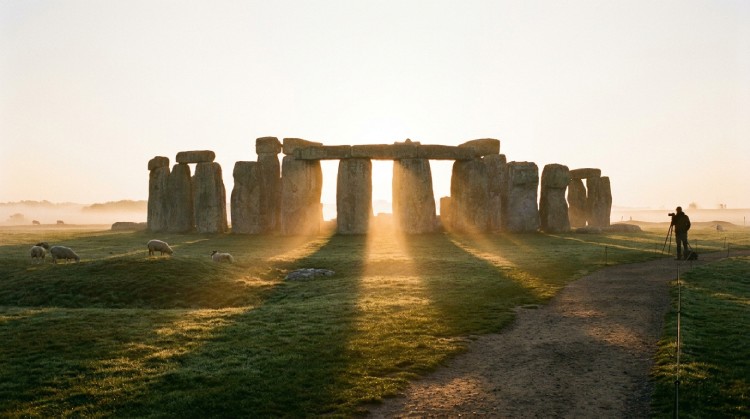
Forget about exhausting itinerary planning, expensive airline tickets, and tedious hotel bookings for a moment. There are unique websites on the internet that work like a true digital teleport: you simply press a button, and you instantly find yourself in a completely random, unknown corner of the Earth.
Thanks to the massive database of Google Street View and similar interactive panoramas, this is the perfect way to discover non-mainstream places: forgotten mountain villages, eerie forest roads, colorful Asian markets, or simply a picturesque "middle of nowhere" in a vast field. We have compiled the best virtual teleports that work flawlessly and for free in 2026.
1. MapCrunch — The Undisputed King of Random Teleportation
This is the most popular, oldest, and most user-friendly service in its niche. All you need to do is press the big green GO button, and the algorithm instantly drops you into a random point in the world, allowing you to look around 360 degrees.
🕹️ How to use it:
- Go to mapcrunch.com
- Select a specific continent or a list of countries from the menu (or leave the choice entirely up to the algorithm).
- Press GO. You can also turn on the convenient Auto (slideshow) mode to automatically change locations every few seconds.
What you might see: Absolutely anything. From quiet, broken country roads in Romania to the red deserts of Australia or the snowy mountain passes of Georgia.
2. RandomStreetView.com — Maximum Minimalism
This site is designed for those who appreciate pure, unrefined randomness without any unnecessary interface settings. Every page refresh or click instantly generates a new, high-quality panorama.
🕹️ How to use it:
- Go to randomstreetview.com
- Press the "Next" button or simply refresh your browser page.
- To narrow your search, you can modify the URL by adding a country code (for example,
/usto travel only within the USA).
What you might see: Deep contrasts: from the busy, chaotic streets of Bangladesh to the perfectly flat, empty, and cold roads of Scandinavia.
3. Citywalki.com — Virtual Walks Through Megacities
Here you get a radically different experience. Instead of a static panorama, you can watch a dynamic video walk: you can "walk" on the sidewalk, "drive" in a car, or even "fly" over the city like a drone.
🕹️ How to use it:
- Go to citywalki.com
- Click the Random city button in the menu.
- Choose your preferred travel mode: Walking, Driving, or Flying.
What you might see: Bucharest, noisy New York, romantic Rome, Prague, Kyiv, São Paulo, and over 130 other major cities. Make sure to turn your sound on—the natural noise of the street and footsteps creates a powerful sense of actual presence.
4. VirtualVacation.us — Videos Instead of Panoramas
This is the most modern alternative to the previous services. Instead of classic stitched Street View frames, you get real, high-quality, first-person (POV) video recordings of walks all around the world.
🕹️ How to use it:
- Go to virtualvacation.us
- Select the random travel mode or try the exciting City Guesser game (where you watch a video and have to guess the city on a map).
What you might see: Live streets, real people rushing about their day, local transport, and authentic local sounds. The experience is much deeper and more realistic than just looking at photos.
💡 Tips to Maximize Your Experience
- Full Immersion: Always use your browser's full-screen mode (F11) and make sure to wear headphones.
- Virtual Diary: Take screenshots of the most beautiful finds and look up their coordinates on Google Maps. This is a fantastic and completely free source of fresh ideas for your actual future vacations.
- Gamification: Compete with your friends: who can find the weirdest, most remote, or most beautiful location in exactly 10 minutes of clicking?
Websites like these are excellent digital tools for exercising your curiosity and geographical knowledge. They significantly broaden your horizons and constantly prove that our planet is much larger, stranger, and more diverse than we often realize. And who knows, maybe one random click today will turn into your plane ticket for a real journey tomorrow.